MedicFlow
Healthcare workflows running directly on dedicated POS hardware.
- Role
- Mobile Engineer
- Context
- AFT Solutions Limited, for hospitals in Oyo State
- Timeline
- Nov 2025 to present
- Platforms
- Android POS
- Status
Overview
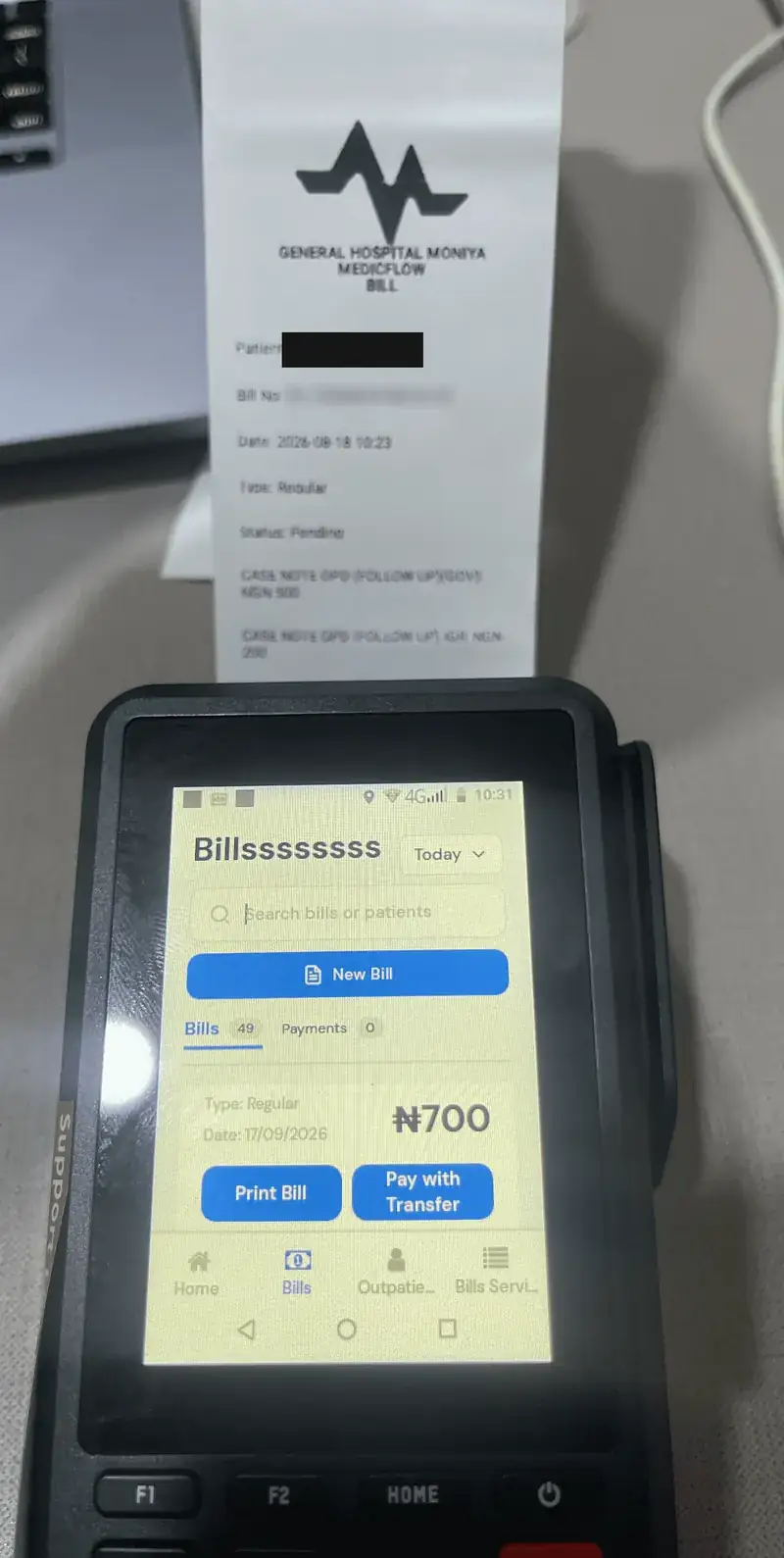
MedicFlow is a hospital billing and records app. Front-desk staff look up outpatients and inpatients, attach services, and raise regular, lab and diet bills against a patient’s record.
It runs on dedicated Android POS terminals, so the same device that holds the record prints the bill and collects payment, by bank transfer or by card on the terminal.
My role
I built the MedicFlow mobile application in React Native: patient lookup, outpatient and inpatient details, the billing flows, the API integration, and the payment and printing integration with the terminal’s POS software. I also own its Android builds and releases.
The challenge
A hospital desk is not a consumer app setting. The device is a shared terminal with a small screen, payment happens in the middle of a clinical workflow, and every megabyte of the app has to be installed onto hardware that cannot download from a store.
- Small terminal screens for billing forms that are naturally long.
- Card payment and printing go through the vendor’s POS application.
- The APK is installed directly onto terminals, so its size matters.
Architecture
MedicFlow app
Built by me
Accelerex native module
Built by me
Hospital billing API
Built by the team
POS payment application
Third party
Engineering challenges
Billing inside a clinical flow
- problem
- Staff need to bill for services without leaving the patient’s record.
- constraint
- Card payment and printing belong to a separate POS application the app cannot control directly.
- approach
- Each bill can be printed or paid from where it was created. Card payments hand off to the POS application through the Accelerex module and return with the result; bank transfer is offered alongside.
- result
- Registration, services, billing and payment happen on one device at one desk.
A smaller APK for terminals
- problem
- A universal Android build bundles code for every CPU architecture, and terminals only ever run one.
- constraint
- Shrinking has to be safe: aggressive minification can strip classes that React Native libraries and native modules load by reflection.
- approach
- Per-architecture APK splits with ABI filters in the EAS profiles, R8 minification, resource shrinking and PNG crunching in release builds, and ProGuard keep rules so Reanimated and TurboModules survive minification.
- result
- Each terminal installs a build containing only its own architecture, and release builds stay stable.
Why dedicated hardware is different
- problem
- Consumer-app assumptions break on POS terminals.
- constraint
- Terminals can lack system apps such as a camera, their storage is shared with vendor software, and they cannot be updated through a store the way phones are.
- approach
- I carried over the shared-storage receipt printing, the vendor module and the over-the-air update setup built for the field systems instead of assuming phone behaviour.
- result
- MedicFlow started from patterns already proven on the same class of hardware.
Outcome
3
bill types: regular, lab and diet
Android POS
deployment target
Technologies
Links
Internal deployment for hospitals. Not publicly accessible.